
2 July 2026
Reliable Wi-Fi and Networking for Small Offices and Venues
How to build Wi-Fi and networking that actually holds up in a small office or venue — business-grade gear versus consumer kit, killing dead spots, separating guest and staff networks, and keeping payments online.
Wi-Fi is invisible right up until it fails, and then it is the only thing anyone can talk about. In an office it means people cannot work; in a café, restaurant, or venue it can mean you cannot take a payment, print a docket, or seat a booking — during your busiest hour. Most small-business Wi-Fi problems trace back to one root cause: consumer gear doing a job it was never built for. This is a practical look at how to make networking in a small office or venue genuinely reliable.
Business-Grade Gear Versus Consumer Kit
The free modem-router your internet provider sent is designed for a home: a few devices, one or two rooms, light use. A business asks far more of it — a dozen or more devices, all-day use, staff and guests, payment terminals and printers that must never drop — and it quietly buckles under that load. The single biggest upgrade most small businesses can make is to separate the two jobs the home router tries to combine: let a modem handle the internet connection, and use dedicated wireless access points to broadcast the Wi-Fi. Access points are built for many simultaneous devices and steady load, and they are what turns flaky coverage into something you stop thinking about.
Coverage and Dead Spots
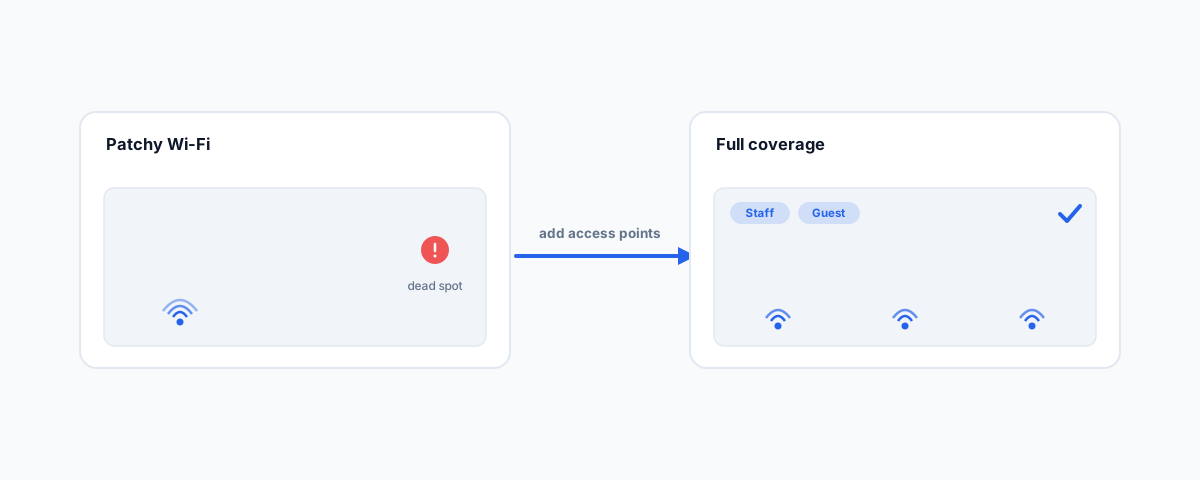
The second universal problem is coverage — the corner of the venue where the signal dies, the upstairs office that barely connects. One router in a cupboard cannot cover a whole space, and cranking its power does not help. The fix is placing multiple access points so their coverage overlaps, either wired back to a central point or linked as a mesh. A quick site walk-through to find where the signal actually drops, before buying anything, saves money and guesswork. The goal is even coverage everywhere people and devices need it, not a strong signal in one room and nothing in the next — a problem we see constantly, and touch on in our piece on getting the modem, printers, and devices to agree.
Separate Your Guest and Staff Networks
If customers use your Wi-Fi, they should never be on the same network as your point-of-sale, your office computers, or your business data. Running a separate guest network keeps visitors walled off from everything that matters, so a compromised phone in the guest area cannot reach your till or your files. It also lets you throttle guest usage so a few people streaming video do not starve your payment terminals of bandwidth. Keeping business and guest traffic apart is basic hygiene the Australian Cyber Security Centre recommends in its small business network guidance, and on business-grade gear it takes minutes to set up.
The Wired Backbone and Staying Online
Wi-Fi gets the attention, but the wired network underneath it decides how well everything runs. Access points, payment terminals, and printers are far more reliable on a cable than fighting for airtime, and running proper cabling with power-over-ethernet (so a single cable carries both data and power to an access point) is what makes a network feel solid. For anything that cannot afford to go down — payments especially — a mobile (4G/5G) failover connection is worth having, so that if the main internet line drops, the business keeps trading instead of grinding to a halt. In hospitality, that failover is the difference between a brief hiccup and a room full of customers who cannot pay.
Multiple Sites and Venues
If you run more than one location, managing each one's network separately becomes a headache fast. Business networking gear can be managed centrally from one dashboard, so you see every site at once, push the same settings everywhere, and get alerted when something goes down — often before staff on the floor even notice. Consistent network names across sites mean staff devices roam without anyone re-entering passwords, and segmenting the network (keeping payments, staff, and guests on separate lanes) is handled the same way everywhere. For a growing business, that central visibility is what keeps a second and third location from tripling your IT headaches.
Common Problems We See
A handful of issues account for most venue and office Wi-Fi complaints: one consumer router trying to cover a whole space; guest and business devices sharing a single network; access points fighting each other on the same wireless channel; and no failover, so a single internet outage stops trade entirely. Each is straightforward to fix with the right gear and a bit of planning, and each is the kind of thing that quietly costs you sales or hours until it is sorted. If your Wi-Fi has become a running joke among staff, it is almost always one of these.
Getting Help
Reliable networking is not about buying the most expensive equipment — it is about the right gear, placed well, segmented sensibly, and kept online. If you would rather have your office or venue network designed, installed, and monitored so it simply works during service, our Small Business IT Support service handles Wi-Fi and networking across single and multiple sites, including the failover that keeps payments running. Get the network right once, and it goes back to being the thing nobody has to think about.