
28 July 2026
Buffer vs Later vs Hootsuite: Social Media Scheduling for a Small Marketing Team
A small business doesn't need enterprise social media tooling, but manual posting stops scaling past one platform. How Buffer, Later, and Hootsuite actually differ in pricing and focus, and how to pick based on your channel mix and team size rather than brand recognition.
Posting to one social channel manually is manageable. Posting to three or four, consistently, while also trying to run the actual business, is where most small teams start looking for a scheduling tool — and immediately run into three names that all claim to be the answer: Buffer, Later, and Hootsuite. They're not interchangeable, and the differences that matter for a small business aren't really about features so much as who each tool was actually built for.
Buffer: Built for Small Teams and Solo Operators
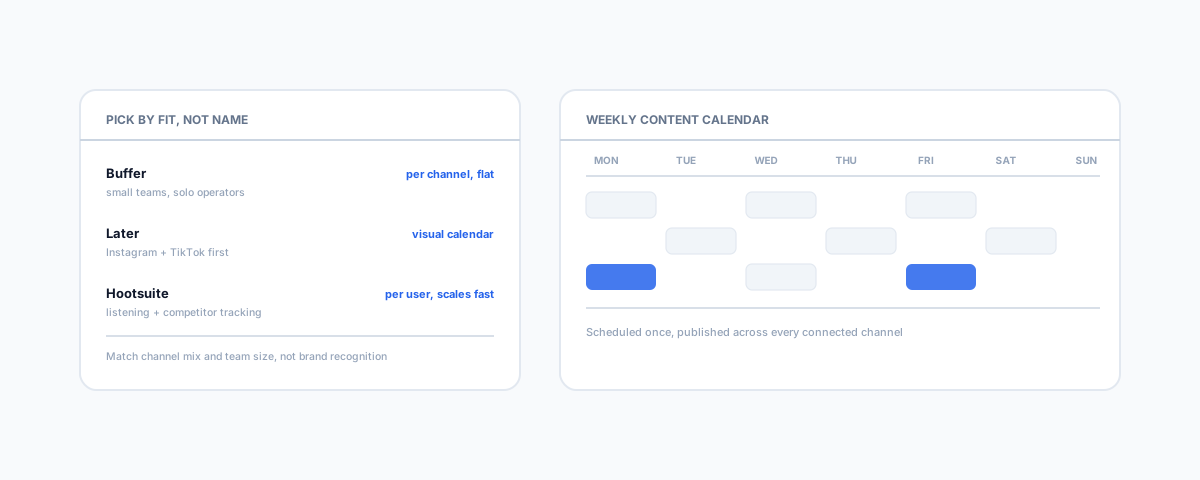
Buffer prices per channel rather than per user, which is the detail that matters most for a small business — its Team plan runs roughly $10 per channel per month with unlimited team members included, so adding a staff member to help manage posting doesn't add to the bill the way it does elsewhere. It covers the core job well: scheduling, a content calendar, and built-in AI content assistance, without trying to be a full marketing suite. What it doesn't do is competitor tracking or social listening at any price tier — if you need to monitor what competitors are posting, Buffer isn't the tool for that job.
Later: Built Around Instagram and TikTok
Later's design centre of gravity is visual-first platforms — Instagram and TikTok specifically — with a visual content calendar that's genuinely built for planning a feed's look, not just its posting schedule. If those two platforms are where your actual audience lives, Later's workflow fits that reality better than a generalist tool bolting on Instagram support. It's a weaker fit if your business leans more on LinkedIn or a broader platform spread, since that's not what its interface is optimised around.
Hootsuite: Built for Scale, Priced for Scale
Hootsuite is the most fully featured of the three — scheduling, social listening, competitor monitoring, and ad management all sit inside one platform, which suits a team that genuinely needs all of that in one place. The cost reflects it: the Professional plan runs around $99/month billed annually, jumping to roughly $249/month for the Team plan, and unlike Buffer, pricing scales per user rather than staying flat as you add people. There's also no free tier — Hootsuite discontinued it some time ago. For a small business posting to a handful of channels without a listening or competitor-monitoring need, that's a lot of platform, and a lot of cost, for functionality that goes largely unused.
How to Actually Choose
The decision comes down to two questions, not brand familiarity. First: where does your audience actually live? If it's Instagram- or TikTok-heavy, Later's workflow earns its place. If you're spread across LinkedIn, Facebook, and X with a small team on a budget, Buffer's flat per-channel pricing is hard to beat. Second: do you actually need social listening and competitor monitoring, or would a scheduling tool alone cover it? Only pay for Hootsuite's scale if that scale is genuinely being used — otherwise it's the most expensive way to schedule the same posts Buffer or Later would handle for a fraction of the cost.
A Few Things to Check Before Committing
- Channel count vs pricing model — count how many social accounts you'll actually connect and price each tool against that number, not the headline plan price.
- Approval workflow — if more than one person needs to review a post before it goes out, confirm the plan tier you're pricing actually includes that, since it's often gated to a higher tier.
- Analytics depth — basic post performance is standard across all three; deeper reporting (audience growth, best time to post, cross-platform comparison) varies more than the marketing pages suggest.
Getting Help
Most small businesses overpay for social scheduling by defaulting to the biggest name rather than matching the tool to their actual channel mix and team size. If social media sits inside a broader marketing stack you're trying to get working together — email, CRM, and reporting included — our guide to marketing tools for solo consultants covers how these pieces fit together, and our Small Business IT Support service can help get the whole stack set up and talking to each other properly.