
13 July 2026
Marketing Tools for Solo Consultants With Automated Reporting (2026)
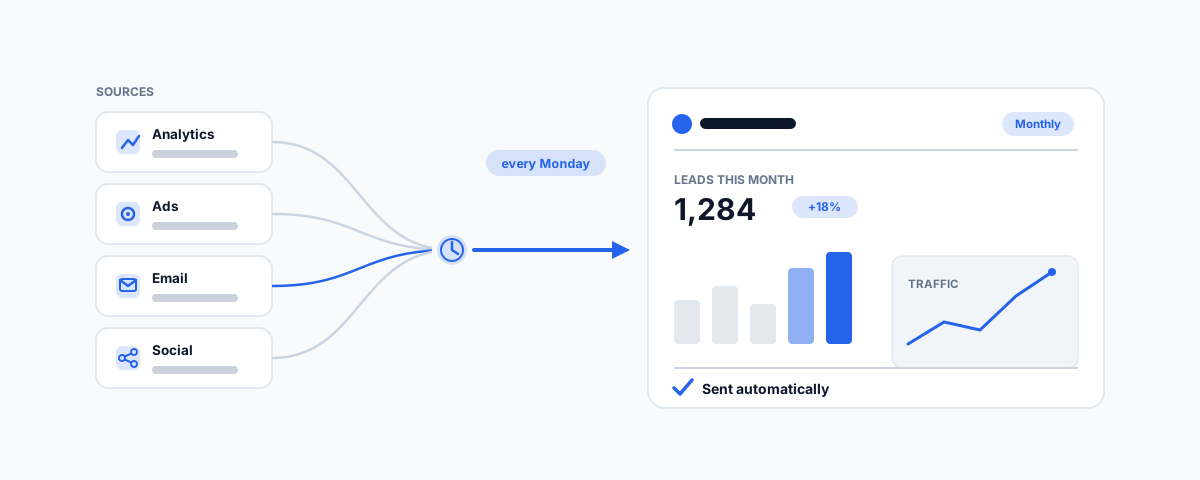
A practical look at marketing tools that give solo consultants automated reporting — from free report builders like Looker Studio to client-reporting platforms like AgencyAnalytics, DashThis and Databox, plus the all-in-one, email and social tools that schedule the reports so you stop rebuilding them by hand.
When you run a consultancy on your own, the marketing rarely fails because you lack ideas — it fails because the admin around it eats the hours you cannot bill. Nowhere is that truer than reporting. Whether you are tracking your own pipeline or showing a client what their retainer bought this month, the monthly ritual of logging into six dashboards, screenshotting charts, and pasting them into a slide deck can swallow the better part of a day. Automated reporting is the fix: tools that connect to your marketing channels once, then assemble and send the report on a schedule without you touching it. Here is how to think about the category, and the tools worth a look — with a lean toward the client-ready reporting a solo consultant most often needs.
What Automated Reporting Actually Means
It is worth being precise, because "reporting" is a feature almost every tool claims. For a solo consultant, automated reporting means three specific things: the tool connects directly to your data sources (Google Analytics, Google and Meta ads, search rankings, your email platform, social accounts) so numbers are never re-keyed; it refreshes and assembles a report on a schedule; and it delivers that report — by email, a live link, or a branded PDF — without you in the loop. The best of them add white-labelling, so a client sees your logo rather than the vendor's. Everything below is judged on how well it does those jobs for one person, not for a twenty-seat agency.
What to Look For
Before comparing logos, get clear on what actually matters when you are the whole team:
- Data-source coverage — it must connect to the channels you genuinely use. A tool with a gorgeous template but no connector for your CRM or ad platform just moves the manual work somewhere else.
- Scheduling and delivery — reports that refresh and send themselves weekly or monthly, not dashboards you still have to remember to open and export.
- White-labelling — if you send reports to clients, your branding on the report (and ideally the login) is what separates a professional deliverable from a forwarded vendor screenshot.
- Pricing model — per report, per client "campaign", per user, or flat. For a solo operator, a tool priced per client campaign can scale far more kindly than a per-seat platform built for teams.
- Setup effort — how long from signing up to a report you would actually send. Some tools are template-and-go; others assume you will build every widget yourself.
The Tools at a Glance
| Tool | Best for | Price signal | Reporting strength |
|---|---|---|---|
| Google Looker Studio | Free, flexible, build-it-yourself reports | Free | Very high, with effort |
| AgencyAnalytics | Solo marketers reporting to clients | From ~US$12/campaign (Freelancer) | Very high, low effort |
| DashThis | Fast, done-for-you client reports | Per-report tiers, from ~US$42/mo | High |
| Databox | Live dashboards and scheduled digests | Free plan; paid from ~US$47/mo | High |
| HubSpot | An all-in-one CRM plus reporting | Free tier; Starter paid | Medium-high |
| Zoho (CRM + Analytics) | Budget all-in-one with a BI layer | Free for 3 users; low per-user paid | Medium-high |
| Metricool | Social-first reporting with white-label PDFs | Free plan; paid from ~US$18/mo | High for social |
Start Free: Google Looker Studio
If your budget is zero and you do not mind an afternoon of setup, Google Looker Studio (formerly Data Studio) is the most capable free option there is. It connects natively to Google Analytics 4, Google Ads, Search Console, Google Sheets, and — through free or low-cost community connectors — to Meta, LinkedIn, and most ad platforms. You build a report once, then schedule it to email a PDF to yourself or a client on a set day. The trade-off is that it is a blank canvas: there are no polished client templates out of the box, so the first report takes real effort, and multi-source connectors can need a paid bridge like Supermetrics if you want everything in one view. For a consultant who wants full control and no monthly fee, it is the benchmark the paid tools are measured against.
Built for Client Reporting: AgencyAnalytics and DashThis
Two tools exist specifically to turn "reporting to clients" from a chore into a few clicks, and both suit a solo operator. AgencyAnalytics is the standout for a freelancer: its Freelancer tier is priced per client campaign rather than per seat, it ships with dozens of pre-built widgets across SEO, ads, social, and email, it white-labels fully, and it can send scheduled branded reports or give clients a live dashboard login. You connect a client's accounts and have a professional report the same day. DashThis takes a slightly different tack — it is priced by the number of reports you run, leans on done-for-you "preset" reports that auto-populate from your connected sources, and is fast to stand up. AgencyAnalytics tends to win on breadth and live dashboards; DashThis wins on speed to a first sent report. Either removes the screenshot-and-paste ritual entirely.
Dashboards and Digests: Databox
Databox is worth knowing for two reasons: it has a genuinely usable free plan, and it is built around live dashboards plus scheduled "digests" — snapshots pushed to your email or Slack daily, weekly, or monthly. It connects to a long list of marketing sources and is strong when you want to watch numbers move in near real time rather than only produce a monthly deliverable. Its client-facing white-label polish is a notch below AgencyAnalytics, so it shines more as your own cockpit — the place you glance at each morning to see whether a campaign is working — than as the branded PDF a client files away. For self-tracking your own consultancy's pipeline, the free plan alone may be enough.
All-in-One With Reporting Baked In: HubSpot, Zoho, Brevo
If you would rather run your marketing and its reporting from one place than wire several tools together, an all-in-one platform earns its keep. HubSpot has a capable free tier — CRM, forms, email, and customisable report dashboards — that a solo consultant can run for a long time before paying; its reporting is strong on your own funnel (leads, deals, email performance) though it reports on HubSpot's own data more than on external ad or SEO channels. Zoho is the budget-friendly all-rounder: Zoho CRM is free for up to three users, and paired with Zoho Analytics you get a real BI layer that can pull from Zoho's marketing apps and outside sources into scheduled dashboards for a low per-user price — we cover the wider Zoho stack in our guide to the Zoho CRM and Google Workspace integration. Brevo (formerly Sendinblue) is a lighter option that combines email, SMS, and a simple CRM with clear campaign reporting, and its free tier suits a consultant whose marketing is mostly email.
Email and Social, Reported Automatically
Much of a solo consultant's marketing is email and social, and the platforms you already use for those can carry a lot of the reporting load. On email, MailerLite and Mailchimp both produce clean campaign and automation reports, and if email is the centre of how you market, the reporting inside the tool may be all you need — our Email Marketing service covers choosing and setting these up properly. On social, Metricool is the standout for reporting specifically: it schedules posts across networks and produces white-label PDF analytics reports on a paid plan that a solo consultant can send straight to a client, with a free tier to start. Buffer and Later also schedule and report, though their analytics lean more toward your own review than a client deliverable. The pattern to notice is that you rarely need a separate reporting tool for a channel whose own platform already reports well — you need one to bring the channels together.
The Glue: Zapier and Make
Sometimes the missing piece is not another dashboard but the plumbing between the ones you have. Automation platforms like Zapier and Make let you pull numbers from a source that lacks a native connector into a Google Sheet on a schedule, then feed that Sheet into Looker Studio or Databox — or simply post a weekly metrics summary into your email or Slack automatically. For a consultant with an unusual data source, or who wants a lightweight "here are this week's numbers" nudge without standing up a full reporting tool, a single scheduled automation can be the whole solution. We walk through practical examples in our roundup of popular automation flows for business, and the same thinking underpins building a single unified view, as in our write-up on unifying tools into one AI dashboard.
Which One Should You Choose
Match the tool to how you actually work rather than to the longest feature list:
- You report to clients and want it to look professional — AgencyAnalytics, for its per-campaign pricing and full white-labelling, is the natural home base for a solo marketer.
- You want fast, done-for-you client reports — DashThis, priced by report volume, gets you to a sent deliverable quickly.
- Your budget is zero and you will invest the setup time — Google Looker Studio, with a scheduled PDF, is unbeatable on price.
- You are tracking your own consultancy's pipeline — Databox's free plan or HubSpot's free CRM dashboards cover it without a new subscription.
- Your marketing is mostly email or social — lean on MailerLite, Mailchimp, or Metricool's own reporting before adding a dedicated tool.
One honest note: marketing-tool pricing and plan structures change constantly, most of these tools price in US dollars, and connector availability shifts as platforms change their APIs. Confirm the current figure in Australian dollars and check that the specific channels you rely on are still supported before you commit — the most expensive mistake is choosing a tool for a template you like and discovering it cannot connect to the one data source that matters to your client.
Getting Help
The tools are only half the job; the value is in wiring them to your channels so the report genuinely assembles and sends itself, correctly, every time. If you would like help choosing the right fit for how you market — and setting up the connectors, templates, and scheduled delivery so reporting stops eating your unbillable hours — our Workflow Automation service can design and build the reporting flow around the tools you already use. Spend a little time on it once, and the monthly report goes from a dreaded afternoon to something that lands in the inbox on its own.