
2 July 2026
"IT Support for Hospitality Venues: POS, Payments, and Booking Systems"
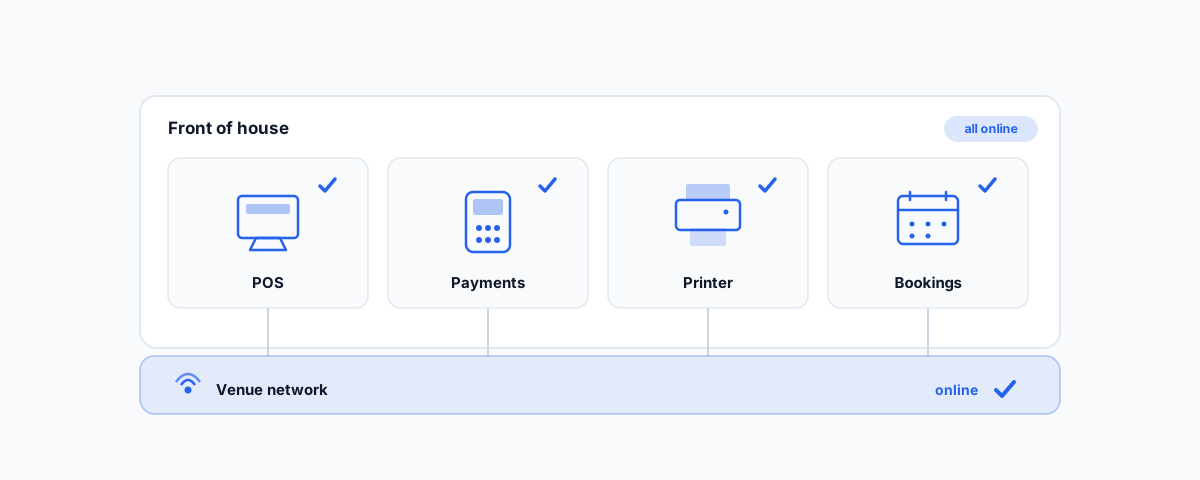
A practical guide to the technology that runs a café, restaurant, or venue — POS, payment terminals, receipt and kitchen printers, and booking systems — and how to keep it all working through a busy service.
In hospitality, technology does not get to have an off day. When the point-of-sale freezes, the card terminal drops out, or the kitchen printer stops mid-rush, you are not filing a support ticket for later — you have a queue of customers, food going cold, and staff improvising. The tech that runs a venue is deceptively deep, and it all has to work together, under load, during your busiest hours. This is a practical look at the systems behind a café, restaurant, or venue, and what it takes to keep them running.
Point-of-Sale Systems
The POS is the heart of the venue — it takes orders, sends them to the kitchen, processes payments, and records every sale. Getting it set up well is mostly about the unglamorous details: a menu that is structured cleanly so staff can find items fast, modifiers and variations that match how you actually sell, and floor or table layouts that mirror the room. A POS that fights the staff during service is a POS that causes mistakes.
Two things matter beyond the initial setup. The first is offline mode — a good hospitality POS keeps taking orders and payments even if the internet drops, then syncs when it comes back, so a connection blip does not stop trade. The second is that your POS configuration is itself worth backing up: the menu, prices, and settings you have carefully built represent real work, and losing them to a failed device or a bad update is a setback you can avoid. If you run Square specifically, our Square POS setup guide for hospitality goes deeper on POS, kitchen display, and online ordering.
Payment Terminals
The card terminal is where a technical glitch turns straight into lost revenue, so it deserves particular attention. It needs to integrate cleanly with your POS so amounts flow through automatically rather than being keyed in by hand (which is slow and error-prone), and it needs to handle surcharging correctly if you pass card fees on — an area with rules worth getting right, which the ACCC covers in its guidance on card surcharges. Above all, it needs to keep working when the internet does not: pairing payments with a mobile (4G) failover connection means that if your main line drops, you can still take money. In a venue, "sorry, card isn't working" is one of the most expensive sentences a staff member can say.
Printers: Receipts and the Kitchen
Printers are mundane until they stop, and in hospitality they are load-bearing. Receipt printers at the counter and kitchen or bar printers that fire dockets to the people making the food are part of the order flow, not an afterthought. The most common headaches are network printers dropping off the Wi-Fi, kitchen dockets not printing (so orders never reach the kitchen), and paper or connection faults during a rush. Wiring critical printers to the network rather than relying on Bluetooth, and keeping them on the reliable part of your network, prevents most of it. A kitchen display system can replace paper printers entirely in some setups, which removes a whole category of problems.
Booking and CRM Systems
For many venues, reservations and customer data live in a dedicated booking system, and increasingly a hospitality-specific one that also handles deposits, table management, and guest history. The value is fullest when these systems talk to the rest of your stack — feeding bookings to the floor, and customer details into your marketing so you can bring people back. The support work here is partly setup and partly integration: making sure the booking platform, POS, and any marketing tools share data instead of becoming separate islands each holding a different version of the truth. A booking system that does not connect to anything is just a fancier diary.
The Network Underneath It All
Every one of these systems — POS, payment terminal, printers, bookings — depends on the network beneath them, which is exactly why venue Wi-Fi cannot be an afterthought. A single consumer router struggling to cover the room is the hidden cause behind a surprising number of "the POS is playing up" and "the terminal won't connect" complaints. Getting the connectivity right — proper access points, payments and staff kept off the guest network, and a failover connection — is the foundation everything else sits on, which we cover in detail in our guide to Wi-Fi and networking for offices and venues. Fix the network, and half the mysterious hospitality-tech gremlins disappear.
Getting Help
Hospitality technology is a tightly connected stack that has to perform when the pressure is highest, and the businesses that run smoothly are the ones where it was set up properly and someone is on call when it is not. If you would rather have your POS, payments, printers, bookings, and the network under them set up, integrated, and supported so service runs without tech drama, our Small Business IT Support service covers hospitality venues end to end — including fast help during service when you cannot afford to wait. Get the stack solid once, and the technology fades into the background where it belongs.