
2 July 2026
"Microsoft 365 Administration for Small Business: Accounts, Email, and Security"
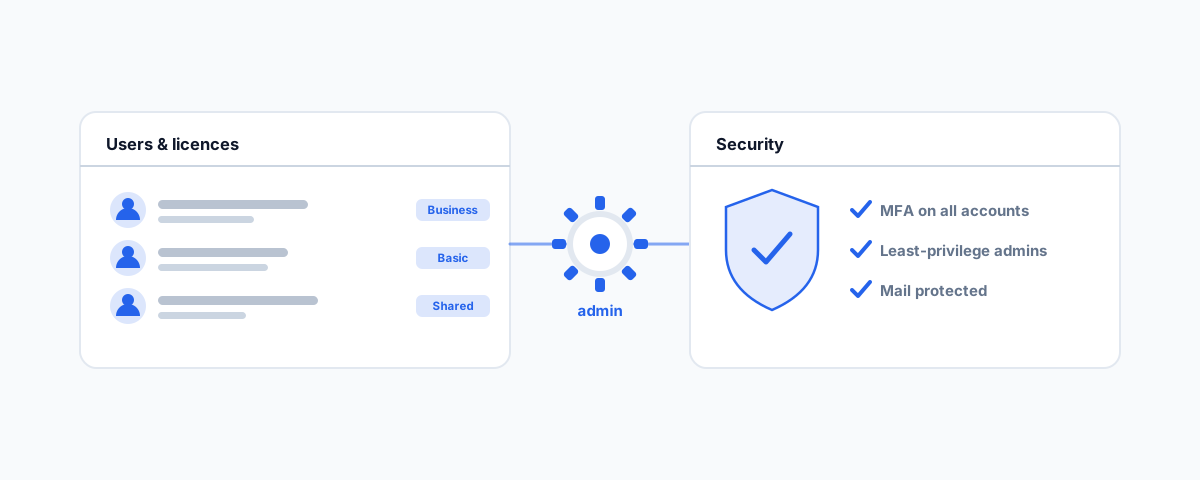
A practical guide to running Microsoft 365 for a small business — managing users and licensing, email and shared mailboxes, a sensible security baseline with MFA, and handling access cleanly when staff join and leave.
Microsoft 365 quietly runs most small businesses — it is where the email lives, where the files are shared, and where staff sign in every morning. But the admin centre that controls all of it is powerful, dense, and easy to get wrong, and most small businesses never had anyone sit down and set it up deliberately. The result is a tenant that mostly works but has licences nobody uses, security switched off, and no clean process for the day someone leaves. This is a plain-English guide to the parts of Microsoft 365 administration that actually matter for a small business.
Users and Licensing
Everything in Microsoft 365 hangs off user accounts, and each user needs a licence that matches what they actually do. The most common small-business mistake here is money leaking quietly: paying for licences assigned to people who left, over-licensing everyone on the top plan when a cheaper one would do, or buying add-ons nobody uses. It is worth reviewing your licences against your actual headcount and needs a couple of times a year — you will often find a saving sitting there.
The second thing to get right is that a user account is more than a login. It carries the person's mailbox, their files, and their access to shared resources, which is exactly why you cannot just delete an account when someone leaves without thinking about what goes with it (more on that below). Treat accounts as the container for someone's whole working life in the business, not just a username.
Email Management
Email is where most day-to-day admin requests land, and a few features solve the majority of them. Shared mailboxes let a team work from a common address like info@ or accounts@ without paying for an extra licence, with everyone's replies coming from the shared address — far better than forwarding rules or one person "owning" the inbox. Aliases let one person receive mail at several addresses. Distribution groups send one message to a defined group of people. And delegation lets an assistant manage someone else's calendar or mailbox properly rather than sharing a password.
The other half of email admin is what does not arrive. When legitimate mail goes missing, it is usually sitting in quarantine, and knowing how to find and release quarantined messages — and adjust the anti-spam settings that put them there — saves a lot of "did you get my email?" back-and-forth. Getting the fundamentals of your provider right underpins all of this; our guide to the top business email providers in Australia covers choosing and setting one up.
A Security Baseline That Fits a Small Business
You do not need an enterprise security team to be reasonably safe, but you do need to switch a few things on, because Microsoft 365 does not arrive locked down by default. The single highest-value control is multi-factor authentication on every account — it stops the overwhelming majority of account takeovers even when a password is stolen, and Microsoft's own security defaults enable it with almost no effort. Microsoft documents the baseline in its guide to security defaults, and for most small businesses that is the right starting point; larger or more complex setups graduate to conditional access policies.
Two more habits matter. Keep admin rights to the few people who genuinely need them — a global admin account is the keys to the entire business, so the fewer of those, the better, and day-to-day work should never happen from an admin account. And glance at your Microsoft Secure Score occasionally; it is a plain checklist of improvements ranked by impact, and it turns "are we secure?" into a concrete to-do list.
Access When Staff Join and Leave
The moments that most often go wrong are onboarding and offboarding, and Microsoft 365 is right at the centre of both. When someone starts, they need their account, the right licence, their mailbox, and access to the right shared resources ready on day one — not trickling in over their first week. When someone leaves, the instinct is to delete their account to stop paying for it, but deleting an account can take their mailbox and files with it, which you may still need.
The cleaner offboarding pattern is to block sign-in immediately (so they can no longer get in), reset the password, and then convert their mailbox to a shared mailbox — which keeps the email accessible to the business without needing a paid licence — before eventually removing the account once you are sure nothing is needed. That sequence protects both your security and your data. It is one piece of a bigger routine we cover in our small business IT onboarding and offboarding checklist.
Common Mistakes Worth Avoiding
A few patterns cause most of the pain. Too many global admins, so the business's crown jewels are exposed through several accounts. No MFA, leaving every account one leaked password away from compromise. Deleting a departed staff member's account and losing their mailbox and files. Paying for licences nobody uses. And assuming Microsoft backs up your data — it protects the platform, but your data is your responsibility, which is why a third-party backup matters, as we explain in our guide to the best automated cloud backup for small business. None of these are hard to fix; they just need someone to look.
Getting Help
Microsoft 365 rewards a bit of deliberate setup and quietly punishes neglect — the difference shows up as wasted licence spend, security gaps, and messy staff transitions. If you would rather have your tenant reviewed, secured, and set up with clean processes for users, email, and access, our Small Business IT Support service handles Microsoft 365 administration day to day, so it stays tidy instead of drifting. Get it set up properly once, and the admin centre stops being something you avoid opening.