
24 July 2026
Website Accessibility for Small Business: What WCAG Compliance Actually Means (and When It's a Legal Risk)
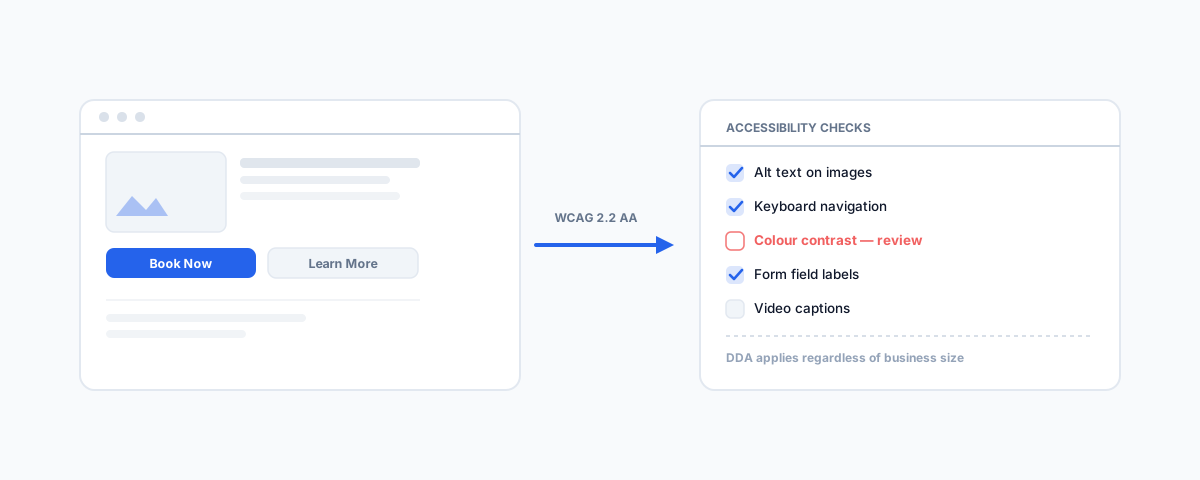
The Disability Discrimination Act applies to your website whether you're a government department or a five-person business — it always has. What WCAG 2.2 Level AA actually requires, the real legal exposure behind it, and a practical starting checklist.
Most small business owners assume website accessibility rules are something governments and big enterprises have to worry about — a box-ticking exercise for departments and banks, not a five-person business running an online store or a booking site. That assumption is wrong, and it's been wrong for over two decades. The Disability Discrimination Act 1992 doesn't carve out an exemption for business size, and it never has. What's changed recently is how clearly the regulator has spelled out what compliance actually means in 2026.
The Legal Basis Isn't New
The Disability Discrimination Act 1992 (Cth) makes it unlawful to discriminate against someone with a disability in the provision of goods, services, or facilities — and a website offering goods or services to the public is squarely inside that definition. This isn't a novel interpretation: it was tested and upheld in Maguire v Sydney Organising Committee for the Olympic Games back in 2000, when a blind complainant's grievance over an inaccessible Olympics ticketing website was upheld by the regulator and settled for AU$20,000. Coles settled a similar complaint in 2015 over its online shopping site. Neither case involved government. The law has applied to ordinary commercial websites the whole time — most small businesses have simply never been tested on it.
What Changed in April 2025
The Australian Human Rights Commission released updated digital accessibility guidance in April 2025 that does two things worth knowing about. First, it broadens the scope explicitly beyond plain websites to mobile apps, cloud-based software, IoT devices, and biometric systems — a business running a booking app or a customer portal is squarely covered, not just a static brochure site. Second, it points to WCAG 2.2 Level AA (the W3C's Web Content Accessibility Guidelines, version 2.2, released October 2023) as the reference standard for what "accessible" actually means in practice. That gives businesses something concrete to test against, rather than a vague obligation to "be accessible."
What WCAG 2.2 AA Actually Requires
The standard is organised around four principles, and most of what trips up a small business site falls into a short, recognisable list:
- Text alternatives for non-text content — images, icons, and buttons need meaningful alt text, not a blank attribute or a filename, so a screen reader user knows what they're looking at.
- Sufficient colour contrast — text needs enough contrast against its background to be legible for users with low vision; a light grey font on white, a common design trend, routinely fails this.
- Full keyboard operability — every interactive element (menus, forms, buttons, date pickers) needs to work without a mouse, which is where a lot of custom-built booking widgets and checkout flows quietly break.
- Clear, consistent navigation and labelling — form fields need actual labels (not just placeholder text that disappears on focus), and headings need to follow a logical structure a screen reader can navigate.
- Captions and transcripts for video and audio content — anything with a soundtrack needs a text alternative for users who are deaf or hard of hearing.
None of these are exotic engineering problems. Most are configuration and content decisions rather than a rebuild, which is exactly why an audit is worth doing before assuming a fix means starting over.
The Real Exposure
Enforcement runs through a complaint to the AHRC, which can escalate to the Federal Court if it isn't resolved through conciliation — in practice, the overwhelming majority of complaints settle before that point, which is why there's no single landmark trial judgment to point to. That doesn't reduce the exposure; it just means the cost shows up as legal fees, a negotiated settlement, and remediation work done under pressure and scrutiny, rather than a courtroom outcome. For a small business, the more common trigger than a targeted complaint is a customer or advocacy group testing a site with a screen reader and finding it simply doesn't work — at which point the business is reacting to a complaint rather than addressing an audit finding on its own timeline.
A Practical Starting Checklist
Getting to a defensible position doesn't require perfection on day one — it requires being able to show genuine, ongoing effort:
- Run an automated accessibility scan against WCAG 2.2 AA as a baseline (catches contrast, missing alt text, and basic structural issues quickly).
- Manually test keyboard-only navigation through your key flows — checkout, booking, contact forms — since automated scanners miss most keyboard-trap issues.
- Check that every image carries meaningful alt text, not a blank or auto-generated one.
- Confirm form fields have real, persistent labels rather than placeholder-only text.
- Add captions to any video content already on the site.
- Document what you've fixed and what's still in progress — a paper trail of genuine effort matters if a complaint ever does land.
This applies whether your public-facing site runs on Shopify, WordPress, or a custom build — our guides to what a complete Shopify store build includes and WordPress booking calendar integrations both cover platforms where accessibility gaps commonly show up in custom widgets and checkout flows. Real estate listing sites are a particularly high-traffic public example — our guide to HubSpot for real estate covers a sector where a broken keyboard flow on a property search filter is a genuinely common finding.
Getting Help
An accessibility audit against WCAG 2.2 AA is a well-scoped piece of work — a scan, a manual pass through your key user flows, and a prioritised fix list, rather than an open-ended rebuild. Our Small Business IT Support service covers exactly this kind of website audit and remediation alongside the rest of your IT setup. The law hasn't changed; what's changed is how clearly the regulator has spelled out what it expects — worth acting on before a complaint does the spelling out for you.