
17 July 2026
Best Automated Cloud Backup for Accounting Software: Xero, QuickBooks, and MYOB (2026)
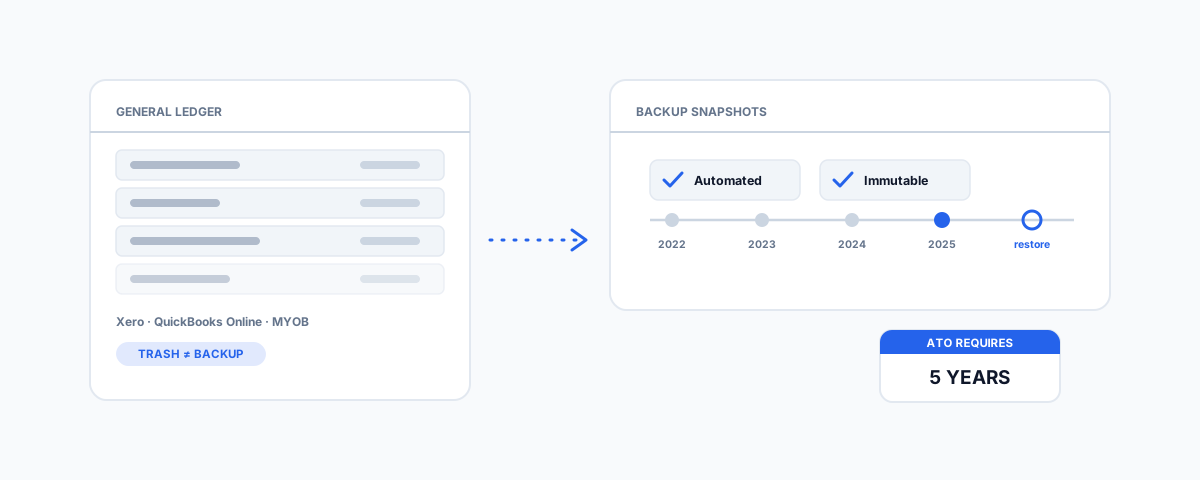
Xero, QuickBooks Online, and MYOB don't guarantee the 5 years of records the ATO requires — what "backup" actually means for cloud accounting data, the dedicated tools that do it properly, and how to set it up so restore-day isn't a crisis.
The ATO expects a small business to produce records going back five years. Most business owners can recite that fact without ever connecting it to the software their books actually live in — Xero, QuickBooks Online, or MYOB — and assuming the platform itself is quietly taking care of it. It is not, at least not the way a backup should. These are SaaS tools with the same shared-responsibility gap as any cloud service: the vendor keeps the service running; protecting your data against your own mistakes, a bad actor, or a lapsed decision is on you. The gap between "my books are in the cloud" and "my books are backed up" is exactly where businesses get caught out, usually while trying to answer an ATO request or reconcile a year that no longer makes sense.
Why the Accounting Platform Itself Isn't the Backup
Xero, QuickBooks Online, and MYOB all offer some version of undo, audit trail, or a trash folder — and all of it is a short-window convenience feature, not a backup. It exists to fix "I clicked the wrong button five minutes ago," not "we need last March exactly as it stood before the bookkeeper's bulk edit." A few ways that gap actually bites: a bulk reconciliation or import gone wrong that touches thousands of transactions before anyone notices; a compromised login that lets someone delete or alter records with legitimate access; a staff member offboarded without their changes being reviewed; or, in the least dramatic but most common case, a subscription lapsing and access simply disappearing along with any sense of how to get the data out. None of these are covered by the platform's own recycle bin, and none of them are rare.
What the ATO Actually Requires
This is the concrete reason the gap matters, not an abstract IT nicety. The ATO's record-keeping rules require most business records to be kept for five years from when the record was prepared or obtained, or the transaction it relates to was completed — whichever is later. Some records run longer: capital asset records must be kept for five years after the asset is disposed of, which can mean decades of total retention for long-held assets. Digital records are entirely acceptable, provided they stay clear, readable, and accessible on request. The penalties for getting this wrong are real — administrative penalties per record-keeping failure, and shortfall penalties of 25% to 75% on top of any tax shortfall if missing records affect an assessment. None of your accounting software's default retention windows come close to five years on their own.
Dedicated Backup Tools by Platform
Treat your accounting platform the same way our guide to automated cloud backup for small business treats Microsoft 365 and Google Workspace: a dedicated third-party tool, not the platform's own trash folder, closes the gap.
- Xero — SysCloud offers automated backup built specifically for Xero, with immutable backups (nothing, including ransomware or a compromised login, can alter or delete them within the retention window) and unlimited retention, which comfortably clears the ATO's five-year bar.
- QuickBooks Online — Skyvia and SysCloud both offer dedicated QuickBooks Online backup: browser-based setup with no software to install, scheduled automatic backups, and restore from a specific point in time rather than only the most recent snapshot.
- MYOB — the dedicated third-party backup market is thinner here than for Xero or QuickBooks. The practical answer is a scheduled, automated export of your MYOB data (rather than a manual "remember to export it" habit) landing somewhere that is itself properly backed up — which is a real solution, just one that needs deliberate setup rather than a one-click SaaS connector.
- Running several SaaS tools at once — if your accounting platform is one of many cloud apps you would hate to lose (CRM, project management, e-commerce), a general SaaS backup platform such as Rewind or Dropsuite covers multiple platforms under one dashboard rather than running a separate tool per app.
Pricing for all of these sits in the tens to low hundreds of dollars a year — trivial against the cost of an ATO request you cannot answer, or a year of reconciliation work redone from memory.
What Good Backup Coverage Looks Like Here
The same principles that make any backup real apply directly to accounting data: it runs on a schedule without anyone remembering to trigger it; it offers point-in-time restore, so you can recover last November specifically, not just whatever the most recent snapshot happens to be; it is immutable, so a compromised login cannot delete your books and the backup of your books in the same afternoon; and it alerts someone when a backup fails, rather than quietly not running for months. A tool that only takes "the current state" on request is not meaningfully different from the platform's own export button.
The Manual Fallback (and Its Limits)
A scheduled manual export — using QuickBooks Online's own export tools or Xero's report and data export features — landing in a location that is itself properly backed up is genuinely better than nothing, and for a very small operation it may be an acceptable stopgap. Its limits are real, though: it depends on someone remembering to run it, it usually only gives you the most recent export rather than a history of point-in-time snapshots, and "properly backed up" still has to be true of wherever the export lands, which is easy to assume and rarely verify. Treat it as a bridge to a dedicated tool, not a long-term strategy — and if you want a sense of what happens when a restore is needed and the fallback was not enough, our account of a QuickBooks Rebuild Error 310 recovery is exactly that story.
Setting It Up Without It Becoming a Project
In practice this is a short list, not a project plan. Pick the tool that matches your platform from the list above. Connect it via API or OAuth — none of these require installing an agent on a machine, since the data lives in the cloud already. Confirm the retention window is set to comfortably clear five years, not the vendor's default (which is sometimes shorter and configurable). And then do the one step almost everyone skips: actually restore something — a single transaction or a small date range — to confirm the backup works before the day you need it to.
Getting Help
Choosing the tool is the easy part; making sure it is connected correctly, retaining for long enough, and genuinely restore-tested is where the value sits. If you would rather have your accounting data's backup set up properly once and left to run — rather than discovered broken the day you need it — our Small Business IT Support service handles it end to end, alongside the rest of your backup strategy. Five years is a long time to assume something is working that you have never actually checked.