
21 July 2026
The ASD Essential Eight Is Evolving: What Small Business Needs to Know Before the 'Essentials' Series Lands
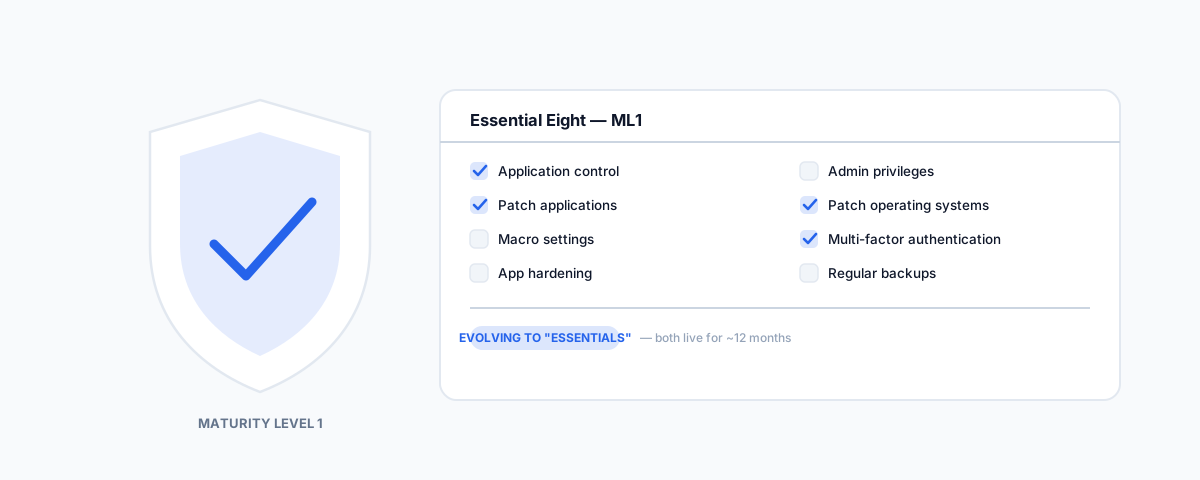
The ASD confirmed in June 2026 that the Essential Eight is evolving into a new "Essentials" series, running alongside it for about 12 months. What's actually changing, why Maturity Level 1 is the number your cyber insurer already cares about, and the practical checklist to work through now regardless of which framework name is on the cover.
If you have looked into the Essential Eight before, you have probably run into content written for a government agency or a large enterprise IT team — application whitelisting fleets, patch management at scale, references to frameworks that assume a dedicated security function. Most small businesses do not have any of that, and most of what is written about the Essential Eight quietly assumes you do. On top of that, the framework itself just moved: the ASD confirmed in June 2026 that the Essential Eight is evolving into a broader "Essentials" series. Here is what that change actually means, and the practical version of the checklist that still applies to a business with no dedicated security team, mandate or not.
What the ASD Actually Announced
On 24 June 2026, the Australian Signals Directorate confirmed the Essential Eight is evolving into a new "Essentials" series — and it is worth being precise about what that does and doesn't mean. It is not a retirement with a hard cutover date. The ASD's own announcement positions the Essential Eight as the first chapter of an ongoing series rather than something being replaced outright, with both frameworks intended to run side by side as live documents for roughly 12 months. The stated direction is a move away from a single prescriptive checklist and toward threat-informed guidance organised by domain — enterprise IT first, then operational technology, then cloud, with agentic AI flagged as a likely future chapter — while staying compatible with the Essential Eight programs businesses already have in place. If you've done any work against the Essential Eight, none of it becomes wasted effort by this change.
Why This Still Matters if Nothing Is Mandatory for You
The Essential Eight was never a legal requirement for most private businesses — it is mandatory for certain Commonwealth entities, and voluntary everywhere else. What makes it matter anyway is who else reads it: most Australian cyber insurers structure their underwriting questions around Essential Eight controls, and reaching Maturity Level 1 typically unlocks standard, affordable cover. Fall short of ML1 and cover gets expensive or is declined outright. Small businesses have also become the most frequently targeted segment for low-level, opportunistic attacks — ahead of both large enterprises and government — and the average cost of a cybercrime incident for a small business is now well into five figures. None of that changes because the framework's name evolves.
The Eight Controls at Maturity Level 1 — What a Small Business Actually Does
ML1 is the level built for "resist opportunistic, low-effort attacks," which is the threat model almost every small business actually faces — not a sophisticated targeted intrusion, but automated scanning and commodity phishing kits. In plain terms, across the eight controls:
- Application control — restrict which applications can run on business devices to a known, approved list, so a downloaded file cannot silently install and execute malware.
- Patch applications — apply security patches for internet-facing applications (browsers, PDF readers, office software) within two weeks of release, sooner for anything under active exploitation.
- Configure Microsoft Office macro settings — block macros from the internet by default, since a malicious macro in an email attachment remains one of the most common delivery methods for small business compromise.
- User application hardening — disable or restrict features in browsers and office apps that serve no business purpose but expand what an attacker can do (Flash, unneeded browser extensions, ads).
- Restrict administrative privileges — most staff should not have admin rights on their own machine; admin accounts should be separate, reviewed, and used only for admin tasks.
- Patch operating systems — the same two-week discipline as application patching, applied to Windows, macOS, and any server OS in use.
- Multi-factor authentication — MFA on everything that matters: email, accounting software, remote access, and any admin account, not just the systems someone happened to set it up on first. This overlaps directly with the shift we covered in passkeys becoming the default in Microsoft 365 and Google Workspace — a passkey rollout gets you most of the way to this control for free.
- Regular backups — automated, tested backups of important data, configured so a compromised account cannot also delete the backup.
None of these require a security team to implement. Most are a setting, a policy decision, or a subscription — the kind of work that fits inside routine IT administration rather than a dedicated project.
What to Actually Do While the Framework Is Mid-Transition
The temptation with any framework in flux is to wait for the dust to settle before doing anything. That is the wrong instinct here specifically because the ASD has been clear the underlying controls are not disappearing — MFA, patching, admin restriction, and backups are foundational regardless of which document they sit under next. The two things worth doing now: get an honest read on where you actually sit against the eight controls above — most gaps are in admin privilege restriction and patch cadence, not the more visible controls like MFA — and treat account lifecycle management as part of the same job, since a former staff member's still-active admin login undoes several of these controls at once. Our guides to domain controller best practices and IT onboarding and offboarding for small business cover the access-control side of this in more depth.
Getting Help
An honest Essential Eight (or "Essentials," once that lands) assessment against your actual setup — not a generic checklist — is the fastest way to know whether your cyber insurance premium reflects reality, and to close the gaps that matter before an opportunistic attack finds them instead of you. Our Small Business IT Support service covers this end to end, including the patching, access control, and backup work that make up most of Maturity Level 1. The framework's name is changing; the eight things worth doing are not.