
14 July 2026
Secure Workspace Platforms for Healthcare Data (2026)
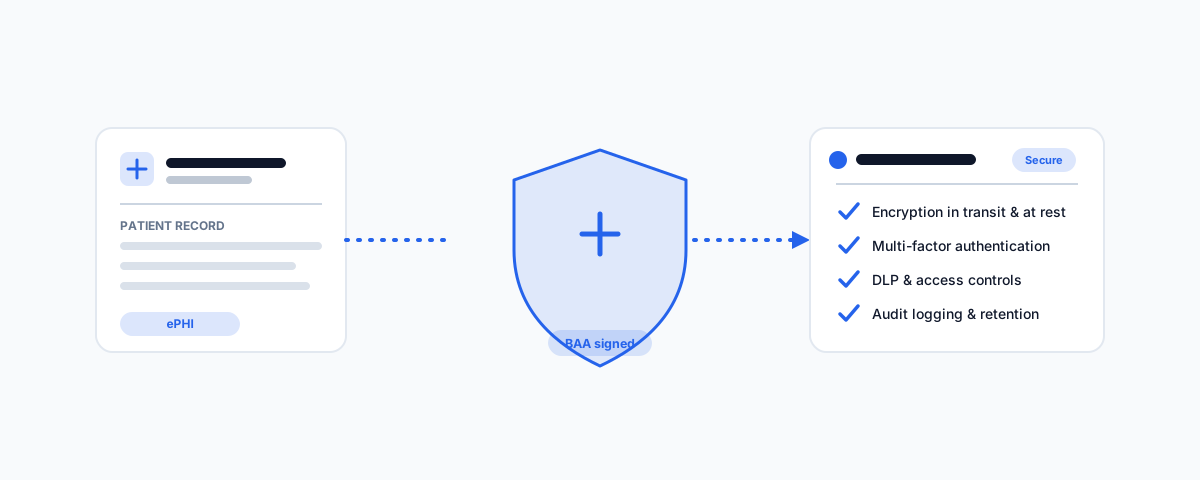
A practical guide to the most recommended secure workspace platforms for healthcare data — Microsoft 365, Google Workspace, Box, and end-to-end encrypted tools like Tresorit and Virtru — with what a BAA actually covers and why configuration, not a label, is what keeps ePHI protected.
If your organisation handles electronic protected health information (ePHI), the riskiest system you own is often the most ordinary one: the workspace where staff send email, store documents, and share files every day. That is where patient records get attached, forwarded, and downloaded, and it is where most breaches begin. Choosing a platform that is built to protect health data — and, just as importantly, one whose vendor will sign a Business Associate Agreement — is the foundation everything else sits on. Here are the platforms most consistently recommended for healthcare data, what they actually give you, and why the label "HIPAA compliant" means less than the contract and configuration behind it.
What HIPAA Actually Requires of a Workspace
Before comparing products, it helps to be precise, because the phrase "HIPAA compliant" is marketed loosely. A few things are true regardless of vendor:
- No product is "HIPAA certified." The US Department of Health and Human Services does not certify software. Vendors instead support HIPAA compliance and will sign a contract taking on their share of the obligations.
- The BAA is the dividing line. A Business Associate Agreement (BAA) is the contract in which a vendor handling ePHI on your behalf accepts legal responsibility for safeguarding it. If a platform will not sign a BAA, it cannot be used for ePHI — full stop, no matter how secure it looks.
- The Security Rule sets the safeguards. Access controls, encryption of data in transit and at rest, audit controls, data integrity, and transmission security are the technical baseline you are expected to implement using the tools the platform provides.
- Compliance is a state you maintain, not a box you tick. The same platform can be compliant or wildly non-compliant depending on how it is configured and used.
What to Look For
When you evaluate a workspace platform for health data, judge it on these:
- Will they sign a BAA — and which services does it cover? Most suites cover their core apps but exclude some add-ons. You must restrict ePHI to the covered services.
- Encryption in transit and at rest — table stakes, but confirm it and know who holds the keys.
- Access controls and MFA — least-privilege permissions and enforced multi-factor authentication on every account that can touch ePHI.
- Audit logging — a tamper-evident record of who accessed what and when, retained long enough to investigate an incident.
- Data loss prevention (DLP) — automated rules that catch ePHI leaving by email or link-share before it becomes a breach.
- Retention and legal hold — the ability to retain, hold, and defensibly delete records on a schedule.
- Sub-processor transparency and breach support — clear disclosure of who else touches the data, and a vendor that will help you meet breach-notification timelines.
The Platforms at a Glance
| Platform | Best for | Signs a BAA? | Security signal |
|---|---|---|---|
| Microsoft 365 | All-round suite for clinics and health orgs | Yes | Purview DLP, sensitivity labels, Defender |
| Google Workspace | Cloud-native collaboration | Yes (accept in Admin) | Vault, DLP, context-aware access |
| Box | Regulated file collaboration | Yes | Granular governance, KeySafe, retention |
| Tresorit | End-to-end encrypted file sharing | Yes | Zero-knowledge, end-to-end encryption |
| Virtru / Paubox | Sending ePHI by email | Yes | Encrypted email with access controls |
Microsoft 365: The All-Round Default
For most clinics and health organisations, Microsoft 365 is the platform of record, and it is a defensible choice. Microsoft will sign a BAA covering the in-scope services, and the higher tiers give you the full toolkit to actually implement the Security Rule: Microsoft Purview for data loss prevention and retention, sensitivity labels that encrypt and restrict documents wherever they travel, Defender for email and endpoint threats, and detailed audit logs. The catch is that this power lives mostly in the Business Premium and enterprise (E3/E5) plans, and none of it protects anything until it is configured — labels created, DLP policies switched on, MFA enforced, and ePHI kept to the covered services. Get an administrator who knows the healthcare configuration, not just the default tenant. We cover the groundwork in our guide to Microsoft 365 administration for small business.
Google Workspace: Cloud-Native, If You Accept the BAA
Google Workspace is the other mainstream suite, and it is a strong fit for organisations that already live in the browser. Google will provide a BAA, but there is a step people miss: an administrator has to actively review and accept it in the Admin console, and then restrict ePHI to the services the BAA covers. Once that is done, Workspace gives you Vault for retention and eDiscovery, DLP for Gmail and Drive, context-aware access that ties logins to device and location posture, and strong audit logging. As with Microsoft, the security is real but latent — it does nothing until an administrator turns it on and locks down external sharing.
Box: Purpose-Built for Regulated File Collaboration
When the core need is sharing and collaborating on documents with strict control, Box is one of the most recommended platforms in regulated industries. It signs a BAA, and its governance features are its selling point: granular folder permissions, retention and legal-hold policies, watermarking, detailed access logs, and — on higher tiers — Box KeySafe, which lets you manage your own encryption keys so even Box cannot read the content. It slots alongside Microsoft 365 or Google Workspace as the controlled file layer rather than replacing the whole suite.
End-to-End Encryption: Tresorit and Virtru
Some data warrants going further than the big suites, particularly when sharing ePHI outside your organisation. Tresorit offers zero-knowledge, end-to-end encrypted storage and sharing — the provider itself cannot read your files — and will sign a BAA, which makes it a favourite for exchanging sensitive records with external parties. For email specifically, Virtru and Paubox add end-to-end or gateway encryption on top of Microsoft 365 or Google Workspace, so a message containing ePHI is protected in transit and, with Virtru, remains access-controlled after it lands. These are targeted tools: you use them for the highest-sensitivity flows, not as your everyday workspace.
The BAA and the Configuration Are the Compliance
The uncomfortable truth running through all of this is that the platform is the smaller half of the job. A signed BAA plus a well-chosen suite gets you a compliant foundation; what makes you actually compliant is what you do with it:
- Sign the BAA and restrict ePHI to the services it covers.
- Enforce MFA everywhere and apply least-privilege access.
- Turn on DLP, encryption or sensitivity labels, and audit logging — and review the logs.
- Set retention and legal-hold policies, and back the data up independently. Our guide to automated cloud backup covers why the platform's own redundancy is not a backup, and data retention policy best practices covers how long to keep what.
- Train staff on how ePHI may and may not be shared, and have a breach-response plan ready before you need it.
Which One Should You Choose
Match the platform to how your organisation actually works:
- You want one suite for everything — Microsoft 365 Business Premium or enterprise, configured properly, is the safest all-round bet.
- You are cloud-native and browser-first — Google Workspace, once an admin accepts the BAA and locks down sharing.
- Your core need is controlled document collaboration — add Box as the governed file layer.
- You routinely send ePHI to outside parties — layer Tresorit for files and Virtru or Paubox for email on top of your main suite.
One honest note: vendor plans, BAA scope, and which services are covered change over time, and a platform being "capable" of compliance is not the same as your instance being compliant. Confirm the current BAA terms directly with the vendor, verify exactly which services are in scope, and treat the configuration — not the logo on the box — as the thing that protects patients.
Getting Help
The hardest part of securing health data is rarely picking the platform; it is configuring it so ePHI is genuinely protected and staying that way as staff, devices, and vendors change. If you would like help choosing the right workspace for how your organisation handles patient data — signing and scoping the BAA, enforcing MFA and least privilege, switching on DLP and retention, and setting up an independent backup and breach plan — our Small Business IT Support service can guide the choice and handle the setup. Get the foundation right once, and protecting health data becomes routine rather than a standing risk.