
17 July 2026
HubSpot Beyond Real Estate: How Small Businesses Actually Use It (2026)
What HubSpot looks like for trades, consultants, e-commerce, hospitality, and B2B — what the free CRM genuinely covers in 2026, where the Starter-to-Professional pricing cliff bites, and how to decide if it fits.
We have written before about HubSpot for real estate, but most of the businesses who ask us about HubSpot are not agencies. They are tradies with a phone full of missed enquiries, consultants juggling proposals in email threads, shop owners wondering if the free CRM is actually free, and venue managers tracking function bookings in a spreadsheet. HubSpot's marketing has convinced a lot of small businesses that it is the default answer to "we need a CRM" — and sometimes it is. But the honest picture depends heavily on what kind of business you run and where HubSpot's pricing cliff sits relative to your needs. Here is what it actually looks like in businesses that have nothing to do with property.
What HubSpot Actually Is Now
Strip away the product names and HubSpot is a free CRM core — contacts, companies, deals, tasks, notes, email logging — with paid "hubs" layered on top for marketing, sales, service, and content. Since 2024 the paid tiers are priced per seat: Starter runs at roughly $15–20 per seat per month (with aggressive promotional pricing for new customers), which is genuinely cheap. The catch sits one tier up. Professional is not a per-seat price — it is a platform price, in the vicinity of $1,300-plus a month with a fixed number of seats included. That gap between a $20 seat and a four-figure monthly platform bill is the single most important fact about HubSpot for a small business, because the features that make the tool sing — real workflow automation, proper reporting, sequences at scale — mostly live above the gap. List prices move around and AUD pricing differs, so check the current numbers, but the shape of the cliff has been stable for years.
What the Free Tier Genuinely Covers
The free CRM is real and useful, not a demo. What you get, and what you hit:
- The CRM core at scale — up to a million contacts and companies, unlimited deals and tasks, pipeline boards, and email logging from Gmail or Outlook. For "get the business out of a spreadsheet", this is the whole job.
- Lead capture — forms you can embed on your site, a live chat widget, and a basic meeting scheduler that ends the "when suits you?" email chain.
- Email marketing with strings attached — you can send marketing email on the free tier, but with HubSpot branding on every send and a monthly cap that a real list outgrows quickly.
- The ceilings — no workflow automation at all, thin reporting, HubSpot branding on forms, chat, and email, and a free-seat allowance that has tightened over the years — two core seats at the time of writing, where it was once effectively unlimited. A five-person business cannot properly work in the free tier anymore.
Use Cases by Business Type
Where we actually see HubSpot earning its keep — and where it does not:
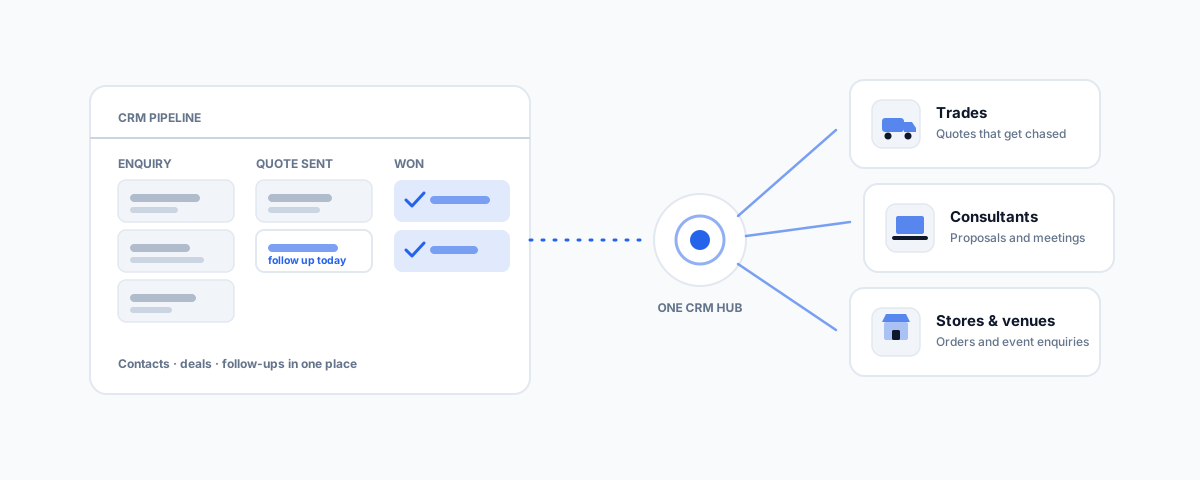
- Trades and field services — the fit is the front of the funnel, not the job. An enquiry-to-quote pipeline with follow-up reminders fixes the most expensive leak in most trade businesses: quotes that never get chased. But scheduling, job cards, and invoicing belong in job management software like Tradify or SimPRO — HubSpot complements those tools; it does not replace them, and trying to make it do job management is a project that ends badly.
- Consultants and professional services — the genuine sweet spot. A pipeline of proposals, a meeting link on your email signature, logged correspondence, and templated follow-ups cover most of what a small practice needs, and the reporting side can be automated without much fuss. Many solo consultants never need to leave Starter.
- E-commerce — HubSpot's Shopify integration syncs customers, orders, and abandoned carts, which makes it a serviceable CRM layer for a store. But for pure e-commerce email — flows, segments, revenue attribution — a dedicated platform like Klaviyo is stronger per dollar, and plenty of stores run Klaviyo for email with HubSpot (or nothing) behind it. Be honest about which job you are hiring it for.
- Hospitality and venues — not for walk-in trade, ever. Where it works is the functions-and-events side: enquiry forms feeding a pipeline of tentative bookings, with deposits and follow-ups tracked instead of living in one manager's inbox.
- B2B and wholesale — the classic case HubSpot was built for. Longer sales cycles, multiple contacts per company, quotes that need chasing, and a shared view of every conversation. If this is your shape, HubSpot fits with almost no force required.
Where People Get Burned
The recurring surprises are worth naming plainly. The first is the cliff: Starter's automation is deliberately minimal, and the moment you want "when a deal sits in this stage for five days, do X", you are being asked for Professional money — a jump from tens to over a thousand dollars a month. The second is marketing-contacts billing: email pricing scales with how many contacts you market to, and an imported list of every customer you have ever had inflates that number for no benefit. The third is seat creep — cheap seats multiply quietly. And the fourth is gravity: once your contacts, deals, emails, and forms live in HubSpot, leaving is a migration project, which is precisely why the free tier is so generous. None of these are reasons to avoid HubSpot; they are reasons to decide with the full price list in view, not the free tier's.
When HubSpot Is the Right Call — and When It Is Not
If your business sells to other businesses, runs on proposals and follow-ups, and needs marketing and sales in one place with room to grow, HubSpot is a defensible default — polished, well-documented, and easy to hire help for. If you are a small team that needs automation early but will never justify platform pricing, Zoho CRM offers far more automation per dollar at the low end. If all you want is a clean sales pipeline with none of the marketing apparatus, Pipedrive does that one job simply and cheaply. The mistake is not choosing HubSpot; it is choosing it for the free tier without checking what the features you will want in a year cost.
Making It Talk to the Rest of Your Stack
A CRM pays for itself when it stops being an island. The connections that matter for a small business: the Gmail or Outlook extension so correspondence logs itself; the Xero integration so invoicing and deal data agree; the Shopify sync for stores; and webhooks or native connectors into whatever automation platform glues your business together. For businesses that outgrow HubSpot's own reporting, the well-worn path is piping CRM data into a warehouse like BigQuery and building the dashboards there — which also keeps your data portable if you ever change CRMs.
Getting Help
Most HubSpot problems we see are not HubSpot problems — they are wiring problems: a form that does not create deals properly, an inbox that is not logging, a Shopify sync duplicating contacts, or manual steps that should be automated but sit below the Professional cliff. That middle ground — making the affordable tier do more through integration — is exactly what our workflow automation service covers. And if you are in property after all, our HubSpot for real estate guide covers that world specifically. Pick the CRM for the business you have; wire it properly; and read the Professional price list before, not after, you depend on it.