
26 July 2026
"The Signs Your Business Has Outgrown Its Current Tech Stack"
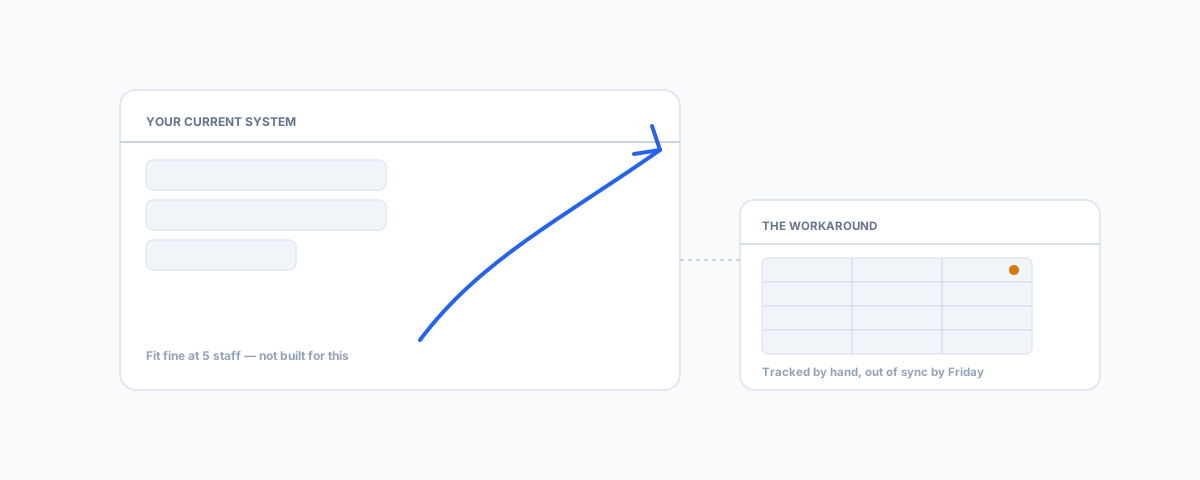
Software rarely fails outright when a business outgrows it — it just gets quietly worked around. The universal warning signs across any system, the specific tells for email marketing, job management, and ecommerce platforms, and what to actually do about it.
Outgrowing a piece of business software is rarely a single moment. Nothing breaks, no error message tells you it's time to move on — the tool that fit fine at five staff and a hundred customers just quietly stops fitting as the business grows around it, one small workaround at a time, until enough of them have piled up that someone finally asks why the team is still doing it this way. The hard part isn't deciding to switch once you've noticed. It's noticing in the first place, because the signs rarely look like a software problem — they look like "that's just how we do it here."
The Universal Signs
A few tells show up regardless of which system is actually the problem. The first is a spreadsheet living next to the "real" system — tracking something the software should be tracking itself, maintained by whoever remembered to update it last. The second is staff quietly working around a tool instead of using it properly, which is a much stronger signal than staff complaining about it; complaints get raised, workarounds just become the process. The third is paying for a plan with features nobody uses while missing the one feature that would actually save time — a sign the business has changed shape since the plan was chosen, not that the plan was chosen badly. The fourth is an integration that used to sync automatically now needing a manual nudge every week, because both systems have grown more complex since they were first connected and the glue between them hasn't kept up.
Email Marketing and CRM
The specific tell here is usually a wall rather than a slope: automations capped at a handful of linear steps when the business now needs branching logic, or segmentation that can filter by a tag but not by actual purchase behaviour. Mailchimp's own plan structure is a clean example — its entry-level Essentials tier caps automations at four steps, which is genuinely fine for a welcome email and nothing else, and genuinely not fine the moment a business needs a real customer journey. Our guide to Mailchimp automation for small teams covers what's worth building once you've outgrown the basics, and if you're weighing whether to move platforms entirely rather than upgrade tiers, our comparison of Mailchimp vs Constant Contact covers that decision honestly.
Job Management Software
For a trades or field-service business, the tell is almost always something that doesn't work on-site rather than in the office — a compliance certificate that has to be filled in on paper because the app doesn't generate one, an invoice that can't go out until someone's back at a desk, or job history that vanishes the moment there's no signal. Our field-test guide to what trades software actually needs to do on-site covers the specific checklist worth running against your current platform before assuming a switch is even necessary. If it fails that test consistently, our guide to switching to Jobber without losing your history covers what actually needs to move — client records, quotes, and job history — so the switch doesn't cost you the data the old system was holding onto.
Ecommerce Platforms
Here the signal is usually cost and rigidity arriving at the same time: transaction fees that scale awkwardly once volume climbs, a multi-language or multi-currency requirement the platform handles as an expensive add-on rather than a native feature, or app-store dependencies stacking up because the core platform doesn't do enough natively. Our comparison of WooCommerce vs Shopify for large stores covers whether the alternative genuinely works out cheaper at scale, rather than just differently expensive.
What Doesn't Count as Outgrowing It
Worth saying plainly: not every frustration is the software's fault. A lot of what looks like "we've outgrown this" is actually a configuration that was never set up properly, a feature that exists but nobody was trained on, or a workaround that started because of a one-off situation and never got cleaned up once things went back to normal. Our rundown of the IT problems that quietly cost small businesses time covers a lot of what gets blamed on "the system" when it's actually a fixable setup issue — worth ruling that out before spending months and a chunk of budget migrating to something that would have the exact same problem in six months.
What to Do Next
Before shopping for a replacement, write down every workaround currently in use and who's doing it — that list is the actual business case, not a features comparison chart. Put a rough number on the hours spent on each workaround weekly, because that number is what makes the decision easy to justify (or easy to rule out) once you compare it against what a real fix costs. Then go to the specific guide for whichever system came up — the tool almost never needs replacing everywhere at once, and treating it as one system at a time keeps the actual migration manageable instead of a business-wide overhaul nobody has time for.
Getting Help
Diagnosing which system is actually the bottleneck is the easy half of this; making the systems that stay talk properly to the ones that replace them is where the real work sits. Our Workflow Automation service connects what you keep to what you switch to, so replacing one outgrown system doesn't just create a new integration problem to work around six months from now.